Winter Tile Connect
Instructions:
Use your mouse or a touchpad to connect tilesDescription
Winter Tile Connect: The Road To The Championship
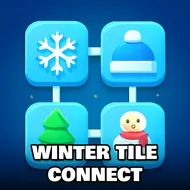
There's no boss fight waiting at the end of this one, no countdown clock screaming at you. Just a snowy grid full of mittens, snowmen, and little iced-over trinkets that all need a partner. Each level hands you a fresh layout and asks you to find matching pairs, then link them with a line that bends at most twice. Sounds simple on level one. By the time you're a few dozen boards in, the tiles pile up thick and the open paths start feeling like a rationed resource, and suddenly that calm winter soundtrack is doing a lot of emotional labor while you squint at the board.
Top Tips
Scan the edges of the board before you touch anything, since tiles sitting on the outer rim almost always have more room to connect and clearing them first opens up lanes for the trickier pairs stuck in the middle. Don't just grab the first match you spot, either — a hasty connection can block a path you'll desperately need two moves later, so pause for a second and picture the board without that tile in it. When you get stuck, look for tiles that only have one possible partner left; those are your priority, not the ones with three or four copies scattered around. And if a level feels like it's locked solid, step back and re-trace your last few moves mentally, because the fix is usually a pair you overlooked near a corner, not some hidden trick.
Control Scheme
- Click or tap one tile, then click or tap its matching twin to draw a connecting line.
- The line can only turn twice, so plan a route with two bends or fewer.
- Paths cannot cross over other tiles still sitting on the board.
- Works with a mouse on desktop or a fingertip on touchscreens.
- Clear every tile pair to close out the level and move forward.